Grafana jpprof是Grafana Phlare官方为支持java语言开发的一个包。
说明
JPProf将go pprof工具带入java世界。
该库实现了一个http处理程序,它可以以pprof可视化工具所期望格式来提供运行时分析数据
使用参考
添加依赖项
如果你使用的是maven,请将一下依赖项添加到你的pom.xml
1
2
3
4
5
|
<dependency>
  <groupId>com.grafana</groupId>
  <artifactId>jpprof</artifactId>
  <version>0.1.0</version>
</dependency>
|
如果你使用的是gradle,请将以下依赖项添加到你的build.gradle
1
2
3
4
5
|
dependencies {
// ....
    implementation 'com.grafana:jpprof:0.1.0'
//...
}
|
与Springboot集成
如果你使用的是Spring Boot,则可以将以下控制器添加到你的应用程序中:
 1
 2
 3
 4
 5
 6
 7
 8
 9
10
11
12
13
14
15
16
17
18
19
20
21
22
23
24
25
26
27
28
|
package com.example.springboot;
import org.springframework.web.bind.annotation.GetMapping;
import org.springframework.web.bind.annotation.RestController;
import org.springframework.web.bind.annotation.RequestParam;
import org.springframework.web.bind.annotation.ResponseBody;
import javax.servlet.http.HttpServletResponse;
import java.io.IOException;
import java.time.Duration;
import jpprof.CPUProfiler;
@RestController
public class PprofController {
@GetMapping("/debug/pprof/profile")
@ResponseBody
public void profile(@RequestParam(required = false) String seconds, HttpServletResponse response) {
try {
Duration d = Duration.ofSeconds(Integer.parseInt(seconds));
CPUProfiler.start(d, response.getOutputStream());
response.flushBuffer();
} catch (Exception e) {
System.out.println("exception: " + e.getMessage());
}
}
}
|
与独立服务器集成
如果你使用的是Spring Boot以外的其他框架,你仍然可以通过在代码中添加以下行来使用该库:
 1
 2
 3
 4
 5
 6
 7
 8
 9
10
11
12
13
14
15
16
|
package com.example;
import java.net.InetSocketAddress;
import com.sun.net.httpserver.HttpServer;
import jpprof.PprofHttpHandler;
public class Main {
public static void main(String[] args) throws Exception {
//.... your main code ...
var server = HttpServer.create(new InetSocketAddress(8080), 0);
server.createContext("/", new PprofHttpHandler());
server.start();
}
}
|
这将使用监听 port 的新服务器公开根路径上的 pprof 端点8080
示例
这里使用spring boot+maven。注意、注意、注意、 项目需要最低基于java11,使用java8报错
创建springboot项目,参考上面的配置加上控制器代码及pom.xml。
 1
 2
 3
 4
 5
 6
 7
 8
 9
10
11
12
13
14
15
16
17
18
19
20
21
22
23
24
25
26
27
28
29
30
31
32
33
34
35
36
37
38
39
|
❯ tree ─╯
.
├── HELP.md
├── README.md
├── mvnw
├── mvnw.cmd
├── pom.xml
├── pprof-java-demo.iml
├── src
│ ├── main
│ │ ├── java
│ │ │ └── com
│ │ │ └── example
│ │ │ └── pprofjavademo
│ │ │ ├── Controller.java
│ │ │ ├── PprofController.java
│ │ │ └── PprofJavaDemoApplication.java
│ │ └── resources
│ │ ├── application.properties
│ │ ├── static
│ │ └── templates
│ └── test
│ └── java
│ └── com
│ └── example
│ └── pprofjavademo
│ └── PprofJavaDemoApplicationTests.java
└── target
├── classes
│ ├── application.properties
│ └── com
│ └── example
│ └── pprofjavademo
│ ├── Controller.class
│ ├── PprofController.class
│ └── PprofJavaDemoApplication.class
└── generated-sources
└── annotations
|
启动项目,访问一下
1
2
3
|
#启动正常
curl localhost:8080/hello
你好 SpringBoot
|
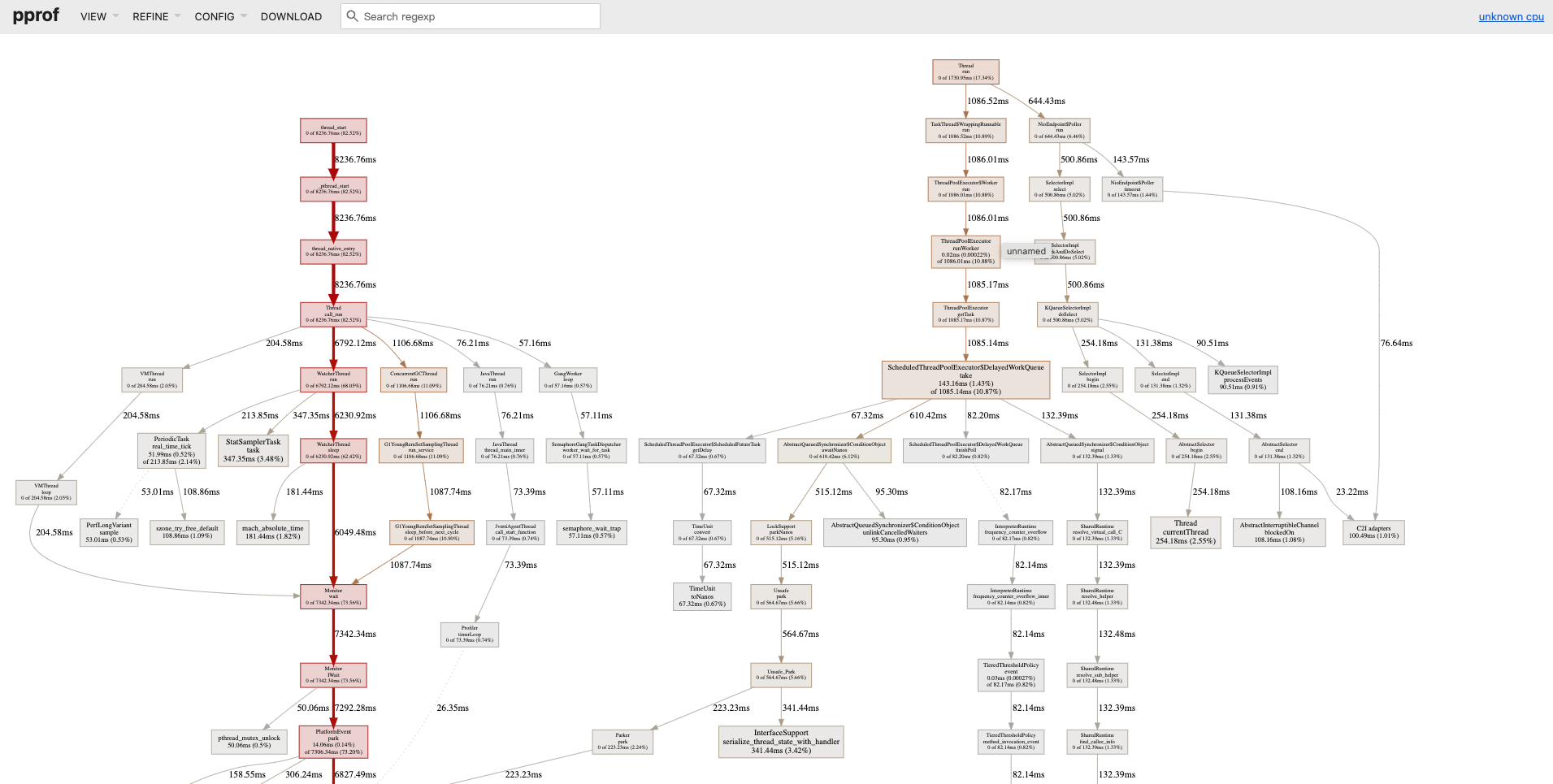
获取cpu配置文件(本地需要安装Graphviz)
1
2
3
|
go tool pprof -http :6060 "http://localhost:8080/debug/pprof/profile?seconds=10"
Fetching profile over HTTP from http://localhost:8080/debug/pprof/profile?seconds=10
|
 dylan
收录于 grafana技术栈
dylan
收录于 grafana技术栈 支付宝
支付宝
 微信
微信